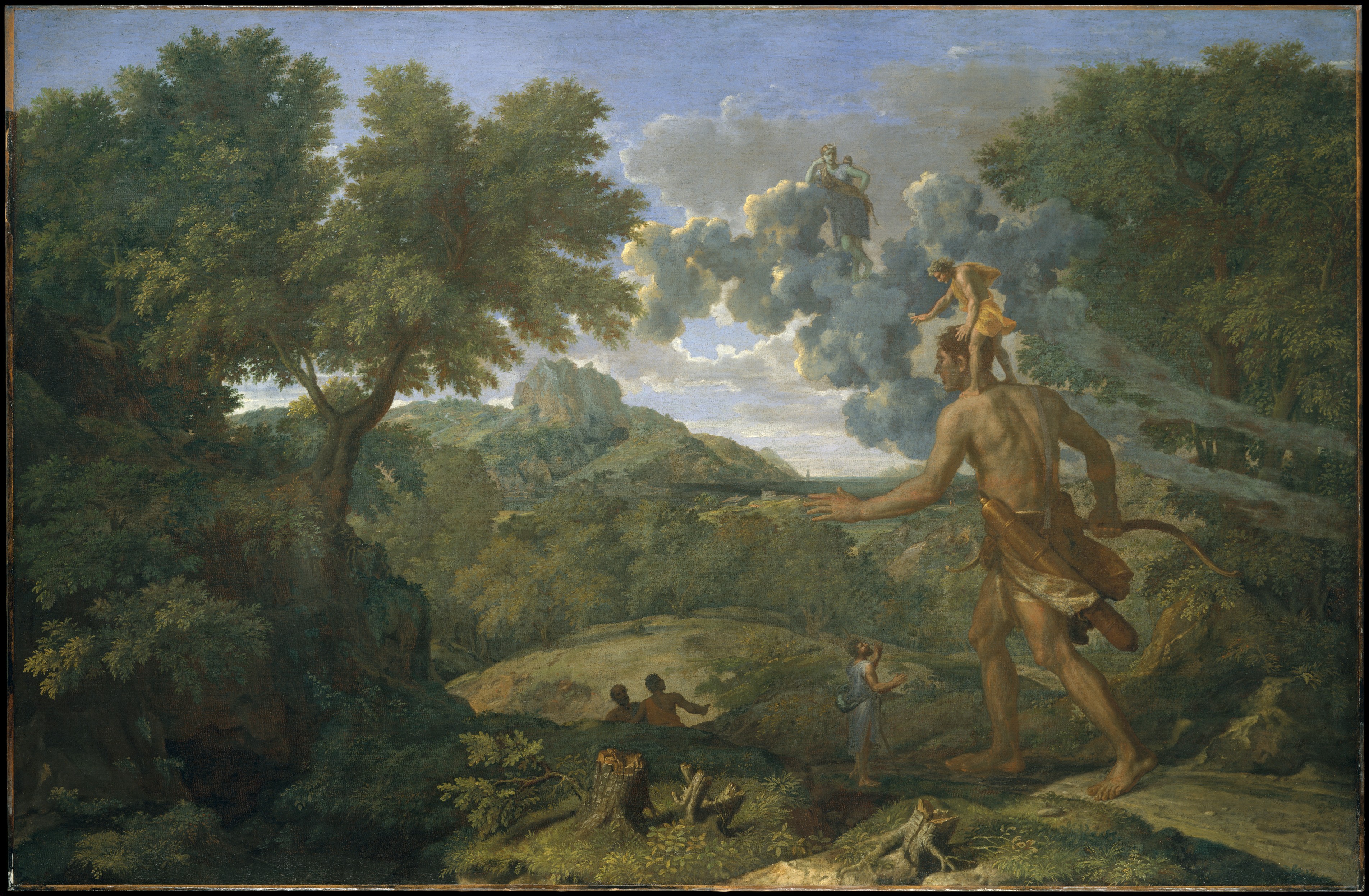
If I have seen further than others, it is by standing on the shoulders of giants.
Open Source
What is a blueprint to a house built?
What is DNA to a plankton?
What is a shopping list to a trolly full of bickies?
Thus is the relationship of code to the programs running on a computer; the voltage pulses through the copper tracks in your machines circuitry. Loosely speaking there is an inverted pyramid or onion like structure to software. There are layers of systems, where anything that you see / hear / experience through your devices peripherals (screen, speakers, touch screen) has been passed through until it becomes something the circuitry can work with. That is, high and low voltage (~3v and 0v), a.k.a 1s and 0s.
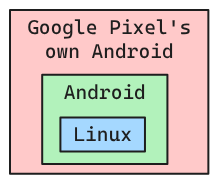
Well, these mysterious systems are intentionally unseen and unheard, so it makes sense that humanity as-a-whole needn’t recreate them on a regular basis. So they are open-sourced, that is, their code / blueprint is published and can be contributed to by anyone who wants to spend their effort doing so. Likely those contributors have gone to this effort for their own good, but in doing so have advanced the code in some way. When this has been done for some time; grand cathedral levels elegance and quality emerge, i.e Linux.
The control, license, and incentive structures of open-source software projects are each innumerable, but it is safe to say that it works incredibly well as a means to get important things done. We might not be in the dark ages without it, but in my view it is one of the tallest giants whose shoulders are stood on in our age. Any finer analogy than this loses sight of the magnificence achieved by open-source software. Its service can not be overstated.
Above I mentioned software that is unseen and unheard, but it gets better; there is user facing software too. That is, programs you can download install and do work with. Here is a list of open-source user facing software, and their closed source equivalent:
- LibreOffice ⟶ Microsoft office
- Brave ⟶ Chrome
- Omarchy ⟶ Mac OS
- FreeCAD ⟶ Fusion 360
- KiCAD ⟶ Altium
- GIMP ⟶ PhotoShop
- Blender ⟶ Unreal
- NextCloud ⟶ insert cloud storage service
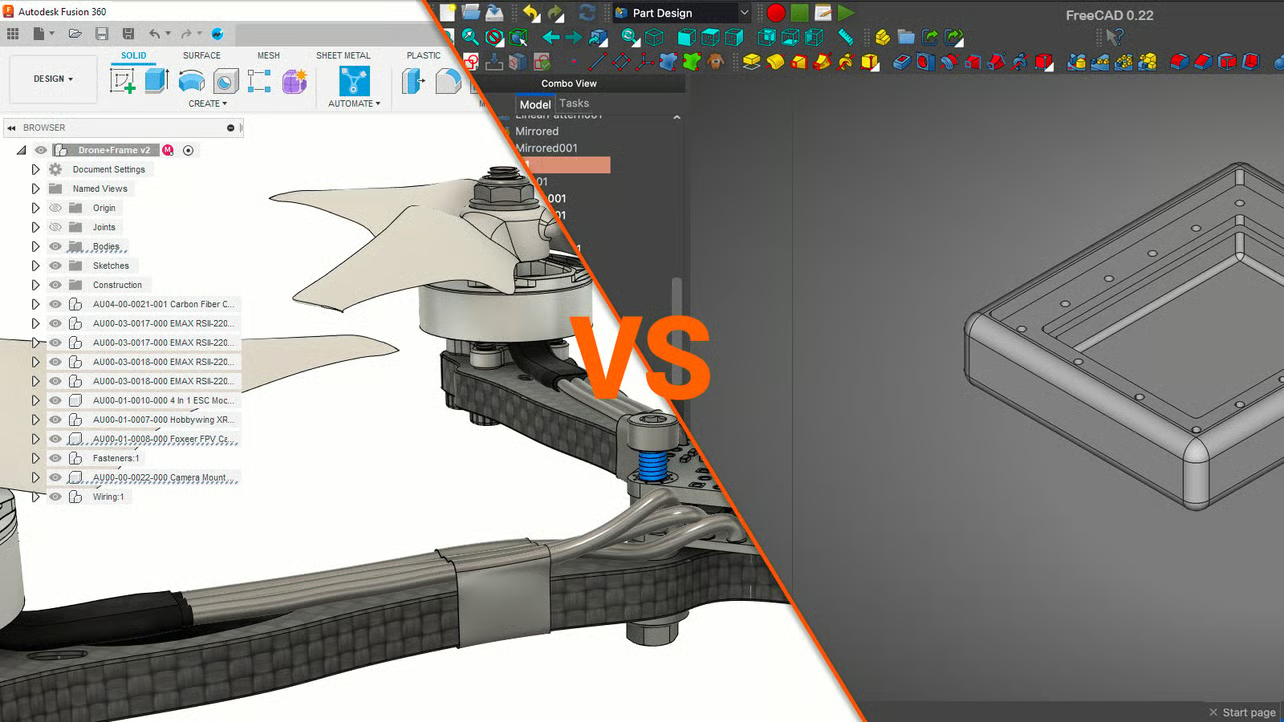
While these are powerful, some more so than others, some surpassing their closed source (proprietary) counterpart as in the case of KiCAD, while others are more or less as good. They tend to have a more features and a less polished user interface, and thus a steeper learning curve. So in the design of these software’s, the for profit options tend to trade off utility for aesthetics. Or those more forgiving might say they trade off complexity for accessibility? Below is comparison of Fusion360 and FreeCAD (note the amount of tools put directly to the user in FreeCAD on the right).
Yet most of these open-source options (for those patient enough to invest time into the learning curve) are nudged into lead position by virtue of being literally free of charge, as well as free as in freedom. Moreover there is a culture of user-ownership in open-source software; meaning that the software is designed to be highly configurable (users may maintain there own dot files and update and maintain them over long periods).
The Weird
The examples mentioned to far have been either unseen systems, or tools that exist adjacent to some polished non-free equivalent. Let me tell you now about a phenomenon most strange; when the open source community creates or upholds a radically distinct design. These are the tools of the people that make tools. Tools that exist in a bid to remove as much of the friction in achieving a given task as is possible. Let me present ye: Neovim
Neovim is a keyboard-centric text (code) editor, meaning that there are none of the user interface elements that one would expect of a computer program: menus, tool ribbons, a save button, etc. Those are all for clicking on with a mouse, but when using Neovim we need a mouse not.Neovim is essentially these three components:
- the ability to open, edit save text files (.py, .txt, .csv, .docx (if you are mental))
- the ability to add plugins to the program that change its behavior and abilities
- a language for manipulating text
#3 is what is special about Neovim. The program gives the user several modes that can be entered and exited, where NORMAL is the base mode that we revert back to when we exit the others. NORMAL is for navigating, moving text, deleting, copying, cutting etc; each of these actions have a dedicated keyboard key. h and l move the cursor left and right, j and k move up and down, w jumps to the next word, b moves to the previous word, 0 moves to the start of a line, $ to the end. d cuts whatever is highlighted, y copies, the list goes on, a lot. These actions can be done in combination, diw ‘deletes in word’, 10dj ‘deletes the next 10 lines down’. In VISUAL mode we can highlight and use all the same navigation actions. In COMMAND mode we can issue commands which stand-in for all the things you would click buttons to achieve in other programs, i.e the save button in MS Word becomes :w<enter>. Finally INSERT mode lets use enter text regularly.
This might seem like mumbo-jumbo, until you see it in being used - I implore you to watch the video linked above for a second. What you are seeing there though you mightn’t recognize it at first, is a man doing what he is good at, plus proverbially having the benefit of a bicycle in race where everyone else is on foot. Neovim, once acquainted with in the slightest degree removes much of the friction from text editing (coding) and brings the user to fluency / flowstate in an instant. Or to quote the man in the video…
Vim isn’t really about typing faster. It’s about maintaining uninterrupted thought.
ThePrimeagen
By this he means sidestepping the ‘death by a million cuts’ slow-down effect of doing text editing in a program that conforms to all modern UI conventions. And instead working ‘at the speed of thought’. The radical difference between Neovim and its nearest alternatives (open and closed source), which are VS Code and JetBrains, shows that open-source can and does come up, maintain, and even promote new things which are drastically better for efficiency and fluency. There are other tools that have the same effect, like tiling window managers.
The Big Idea
So far we have talked about software, where open-source is part of the culture and has been for some time, and has produced some novel and highly effective tools. My proposition, my idea, my theory then is this: similar improvements leaps as that which is brought about by Neovim when compared to VS Code, can be brought about in a wide range of physical devices too. Here open-source is a necessity because there is not initially the market appetite for things so wholly different, they must developed and integrated slowly. Everywhere one looks there are fossils cluttering the design of things which could simply be sidestepped. With the only drawback being some relearning of something that is already known, though the benefits not immediately obvious to those who don’t often dwell on them.
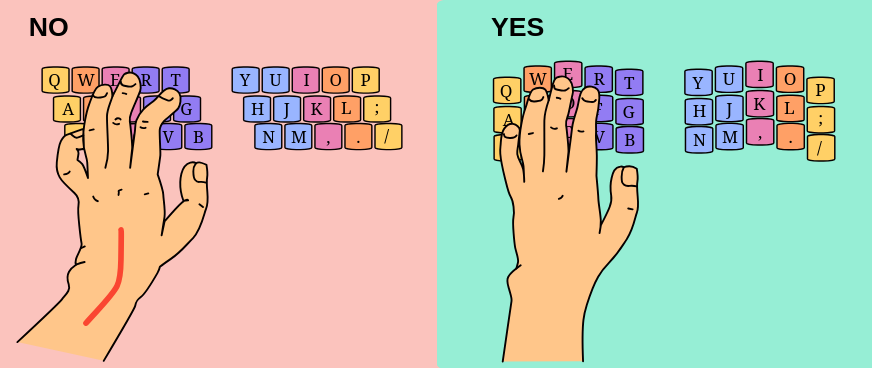
An example, keyboards. The rows of buttons on conventional keyboards are staggered; this is because that is how typewriters were designed so that the paper striking arm wouldn’t strike the row in front. This is even with God’s own design of our fingers (when at rest in front of us) moving back and forward (orthogonal… or sagittal, I’m not sure…). Moreover, your fingers are not all one length, so the keys shouldn’t be on a flat plane with the rows staggered, they should be in a curved well with the keys arrange in staggered columns. See the diagram below for an illustration of how row-stagger contorts ones fingers compared to column stagger. Also, our thumbs are your most dexterous digit, yet they are both reserved for the space bar?
There exists two leading complete solutions to the keyboard problem, the Kinesis Advantage series (a propritary copyright protected product) which can be bought for about £600 (about 843 litres of whole milk, or 2,000 Freddos at the time of writing, mid-2026).
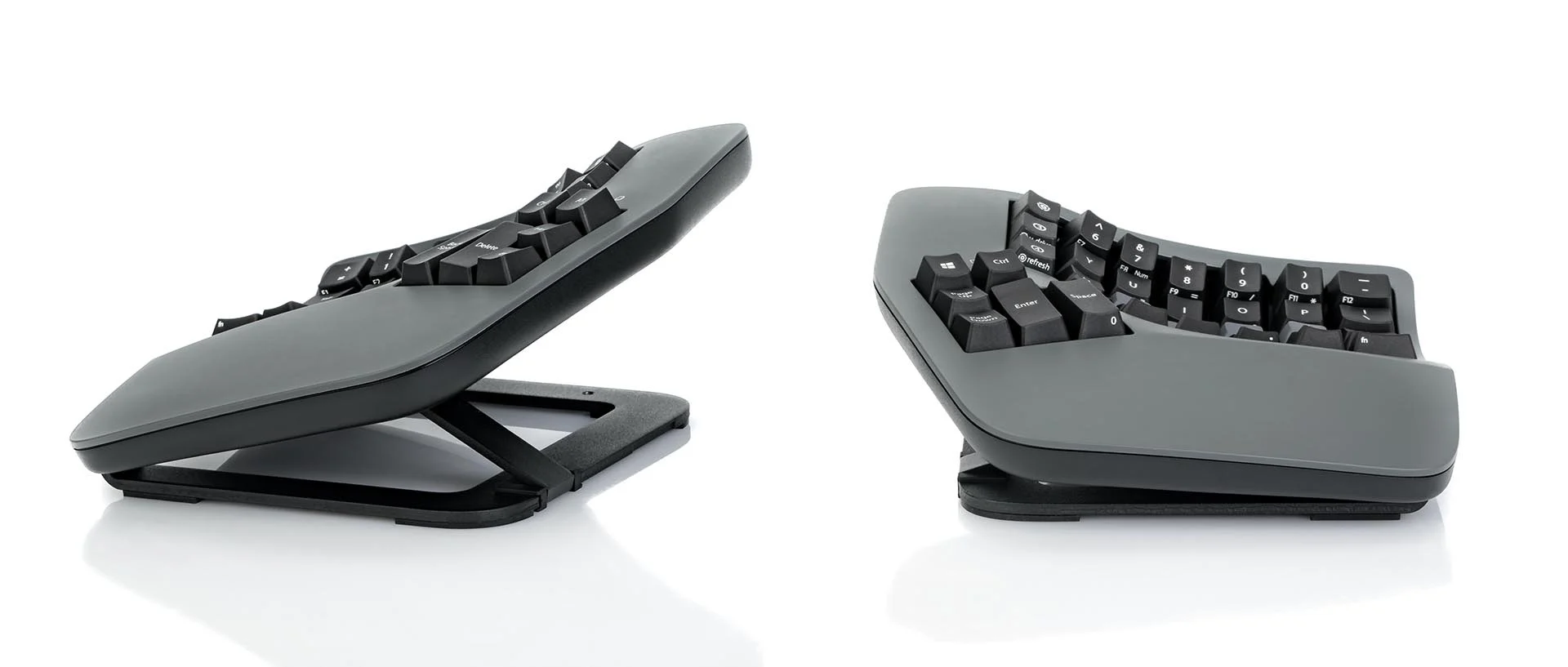
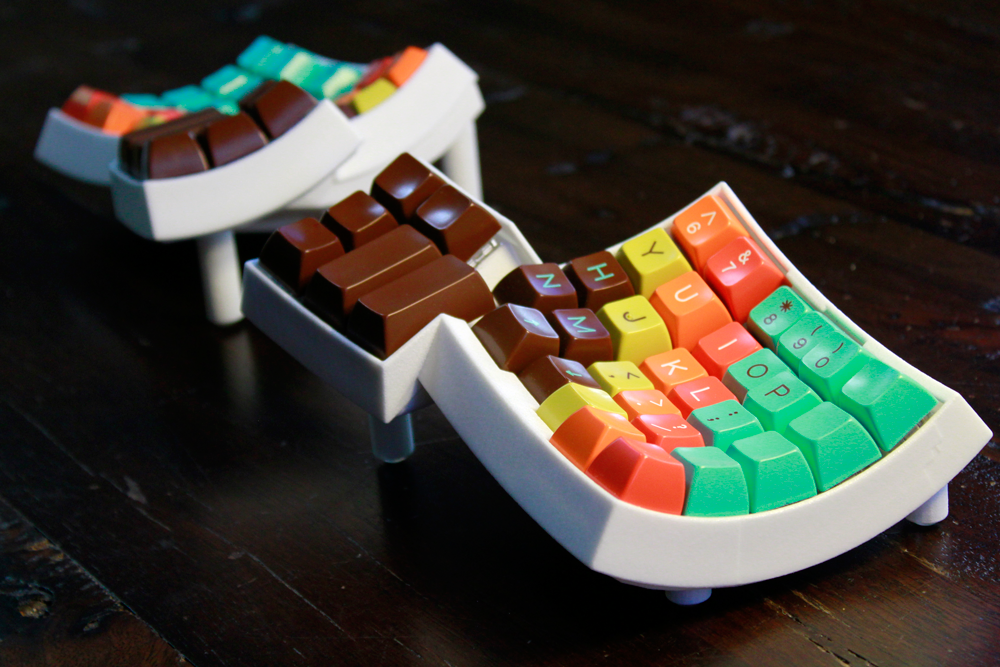
Or there is an open-source alternative called the Dactyl, and a variety of derivatives (i.e. the Dactyl Manuform) which must be self assembled. Self assembly of this keyboard requires ‘hand-wiring’ (lots of soldering) because none yet have spent the time designing a curved circuit board.
Max, what are you saying here? It sounds like this Kinesis firm just needs to scale up, or some new competitor ought to enter the market for these things to get cheaper?
Why must those be the only options? This requires either 1) Kinesis to scale up their marketing efforts, and, assumedly, their production facilities. Or 2) that someone start a new hardware business, design a keyboard (chasis, circuitry, firmware, etc), set up manufacturing (supply chains, assembly, etc), and fulfillment center. Well those are each hard things to do. Though the design part is chief among the three.
My big idea is that option two has great potential, and wins by a large margin if the hypothetical upstart can simply use an existing design. The Dactyl is 1) lacking a printed circuit board design (PCB), and 2) licensed ’non-commercial’ so even thought the design is open and published, it may not be manufactured and distributed… :(
Ones mind may wonder far with the of open design! Open your eyes and you are likely looking at something that was designed! Your phone, your laptop, your lawn mower ⟶ efforts have been started with open-sourcing all of these, some fundamentally different from their regular counterparts, some a merging of two devices into one, some only partially open-sourced. Some projects like the OpenMower rely on the modification of an existing device. But unfortunately few are yet manufactured at scale, save Arduino and Raspberry Pi, which aren’t exactly what I would call user facing.
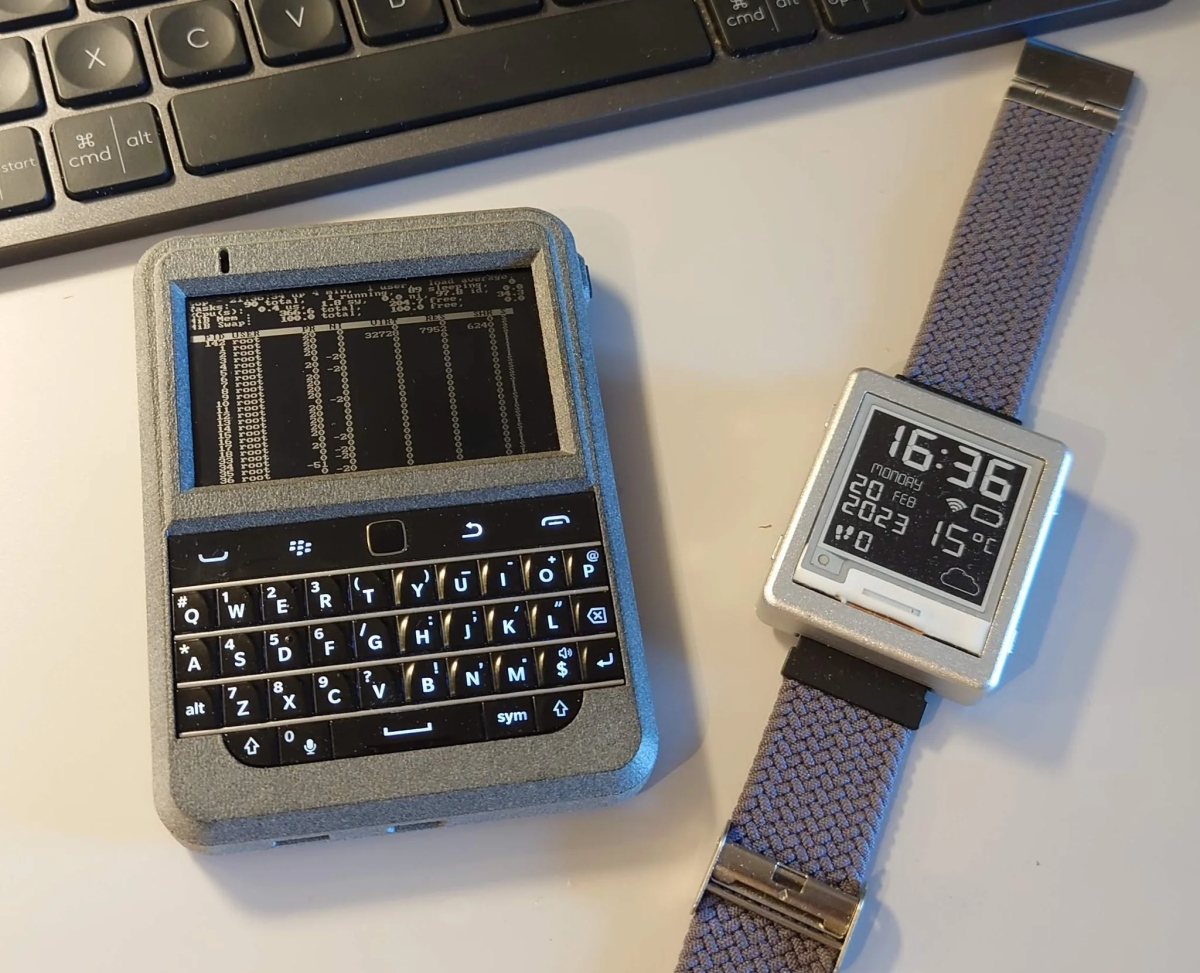
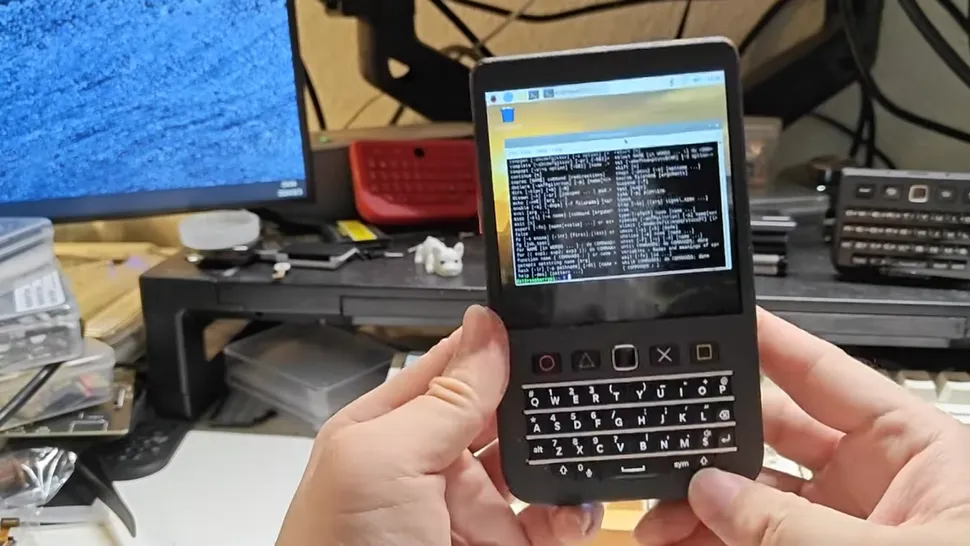
Above (left) is the Beepy, and below is the Hackberry Pi, each handheld miniature computers that can be assebled out of readily available components. CAD files, bill-of-materials, and assebly guides are available for each, but again not the PCB design.
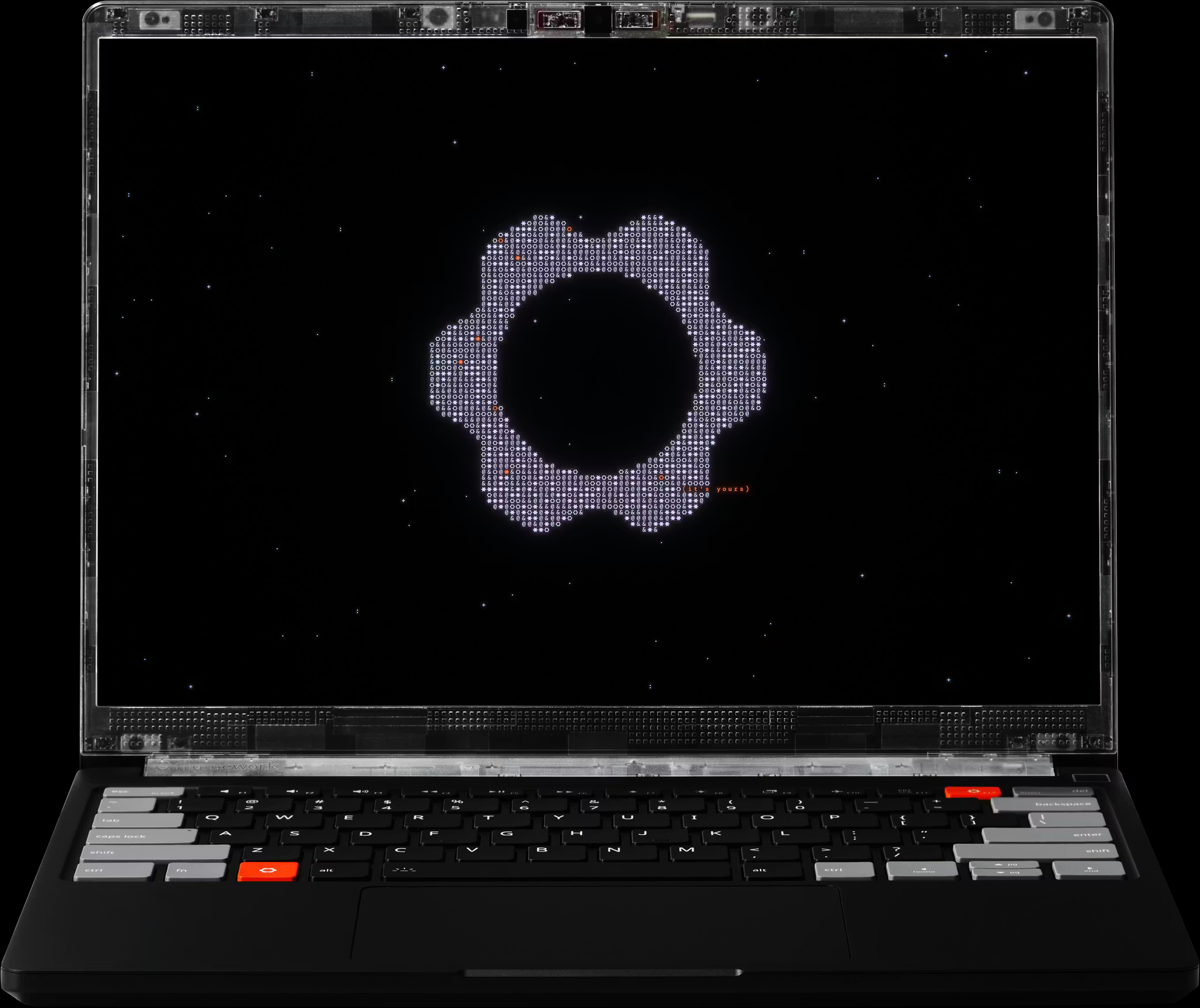
Next there is the Framework company who make desktop and laptop computers on an open set of designs, though similarly to Dactyl, they’re licences don’t allow commercial reproduction.
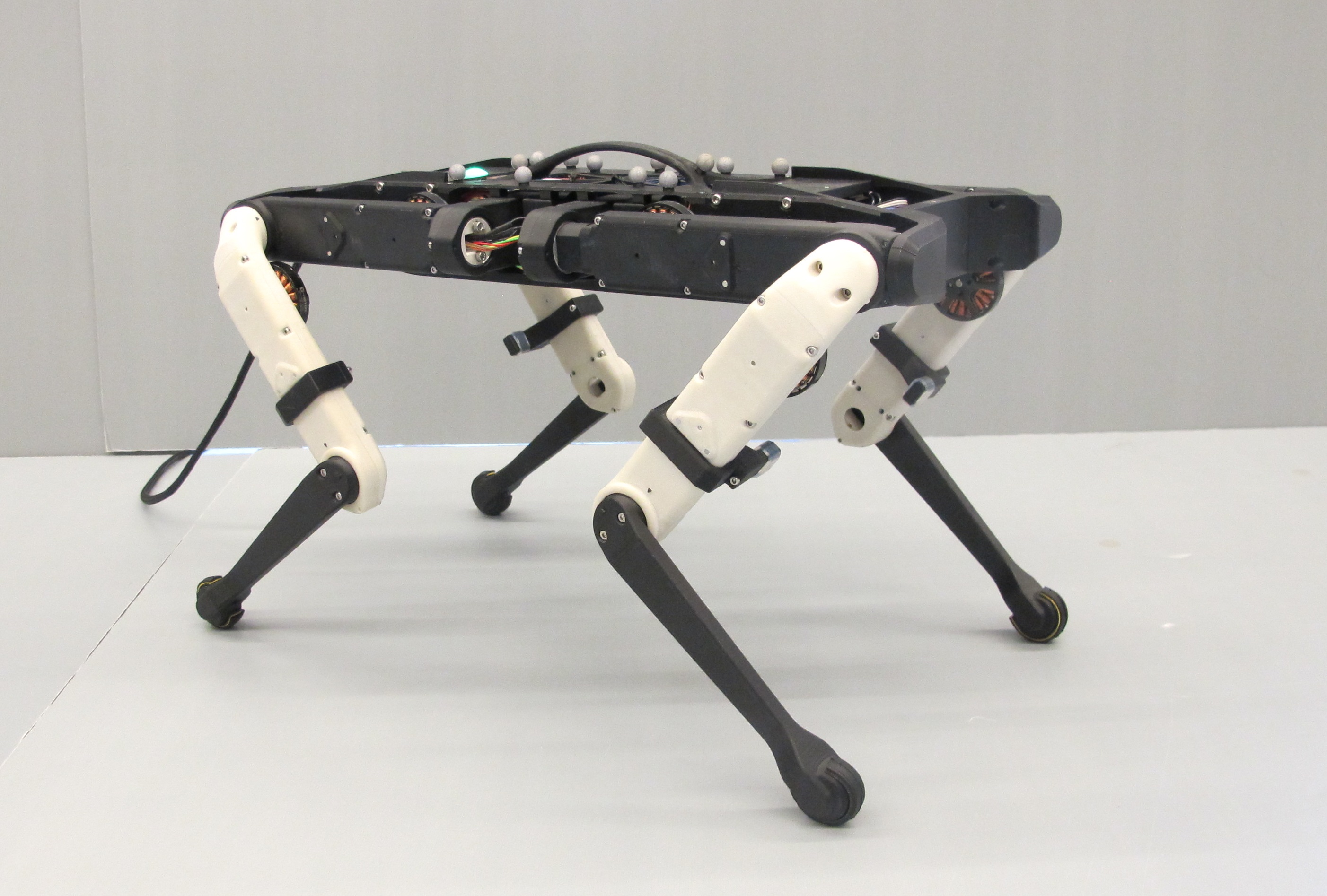
Or for something very different: the Open Dynamic Robotics Initiative. A collection of fully open design legged robots for research purposes. Whats interesting about this one is that its is fully legal to create copies of this from the published designs and sell them :o
Conclusion
Well this might seem like a lament that one cannot profit from another persons intellectual property, but that is not the point I want to set forth. There is a undoubtedly a difference between selling software solutions that are built from open-source components, and by analogy, selling those sub components. Perhaps the sequel of this post will discuss how I believe the incentive structures to make this possible may be devised. For now I want to leave thee with an image of a beautiful ecosystem where men from all corners of the world are able to manufacture and distribute their own <insert whatever you like>. Like to absorb and share the knowledge of a book that build on the ideas of another book that follows it’s philosophical lineage to ancient Greece…. perhaps in this place you don’t need to pay an architect £10k to draw your boring cuboidal house because men over the ages have bothered to persist and make open the designs of a range of homes in whatever style you are into. And those men might have made silly mistakes regarding the things geometry but sure didn’t someone else come along and fix it?
This all made perfect sense before I started, now I’m not sure who or where I am.
Bless.